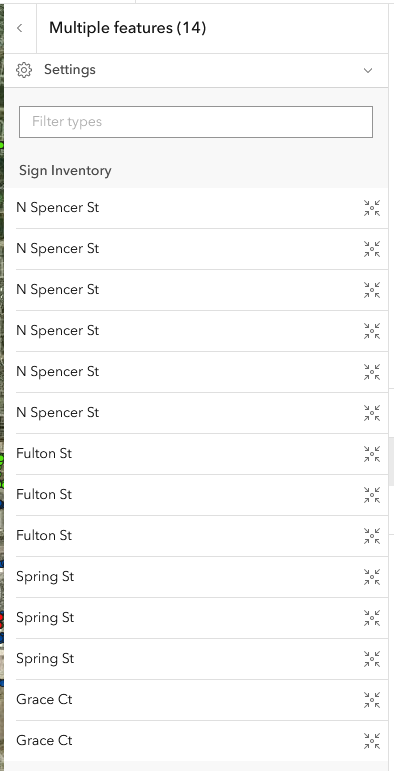
Right now the display name showing in Map Viewer is the Street Name (see image below) and I want it to show a combination of 2 fields: MUTCD + Street Name. In Pro, I’ve tried changing the display name in feature layer Properties and overwriting the layer in Enterprise Portal. Didn’t work. Also, I’ve tried through server manager in order to access “Update Definition” but that option does not exist on the admin account. This is the Esri support doc I was referencing for update definition. Any help is much appreciated.
I found this slightly older topic talking about if you have a definition query or filter on the layer it may be affecting the ability to use the Update Definition tool.
https://community.esri.com/t5/arcgis-online-questions/how-to-use-the-update-definition-operation-on-a/td-p/389402
Updating the Definition
If you don’t want to monkey around with Python, the way to adjust this is in the Server Admin settings. Go to your-portal-url/server/admin.
Once you’re logged in, you can browse your services, then edit them.
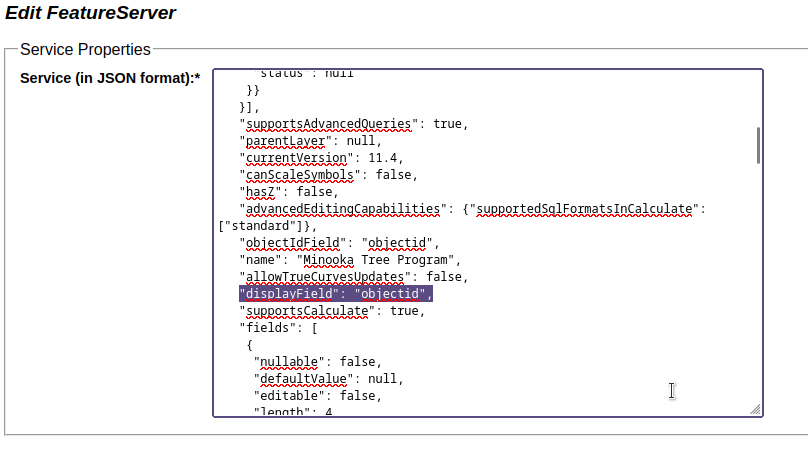
I’m not actually sure if the display field can be two fields together… I could test this on a throwaway layer sometime.
Do you need to be using the Map Viewer? Other apps will use the popup title as the display.